
Digital badges are verifiable digital credentials that embed metadata authenticating a specific skill, achievement, or competency. Unlike a paper certificate or a static image, a badge carries a credential layer that includes the recipient's name, the issuer, the criteria met, and a verification URL. Educators, employers, and professionals across every sector now use these credentials to recognize real learning and real work. This guide covers the most practical digital badge examples across education, corporate training, IT certification, and compliance, with design principles that make each badge worth earning and sharing.
What are the main types of digital badge examples?
Digital badges fall into four core categories, and knowing the difference helps you choose the right format for your program.
Achievement badges mark the completion of a course, module, or project. A university might issue one when a student finishes a virtual campus seminar. A corporate learning team might issue one after an employee completes a leadership workshop.

Professional certification badges verify specific skills. Examples include cloud computing credentials, data analysis certifications, and project management qualifications. These carry the most weight with recruiters because they point to a defined competency.
Compliance and regulatory badges confirm that a recipient has completed required training. Financial institutions use these for Anti-Money Laundering programs. Healthcare organizations use them for HIPAA training. The badge serves as auditable proof.
Engagement and participation badges reward attendance, contribution, or community involvement. They are lower stakes but build motivation, especially in long programs where learners need visible progress markers.
Pro Tip: Start with achievement and certification badges before adding engagement badges. Earners share credentials that signal real skill, not just attendance.
1. University course completion badges
Universities issue course completion badges to recognize verified learning at the module or program level. A student who finishes an online data science module receives a badge that links directly to the course criteria and the institution's verification page. That badge can then be added to a LinkedIn profile as a proper credential, not just an image, because badges live at a permanent URL that allows anywhere, anytime verification.
The metadata inside the badge tells the full story. It names the recipient, the issuing institution, the date of issue, and the exact competencies covered. Employers can click the verification link and confirm the credential in seconds. This is what separates a digital badge from a PDF certificate stored on someone's hard drive.
Design matters here too. University badges that use the institution's official colors and logo build immediate recognition. Learners are far more likely to share a badge that looks professional and carries a trusted brand.
2. Continuing education and professional development badges
Continuing education programs use badges to recognize skills that fall outside traditional degree paths. A teacher who completes a curriculum design workshop earns a badge that documents the specific competencies gained, not just the hours logged.
The Digital Explorer badge is a strong example of this category. It recognizes skills like digital collaboration and information searching, built through real-world tasks rather than passive participation. Badges that recognize authentic learning outcomes promote lasting competence and learner confidence.
This approach works because the badge communicates something specific. A recruiter or hiring committee can read "Digital Communication Specialist" and understand exactly what the earner can do. A generic "Completion Badge" communicates nothing beyond attendance.
3. IBM-style corporate HR badges
Corporate HR systems use digital badges as formal evidence of skill during hiring and promotion decisions. IBM is the most cited example: the company incorporates badges earned through courses and labs as key factors in internal advancement. A badge earned through a machine learning lab carries more weight than a self-reported skill on a resume because it links to verifiable proof.
This model has spread across industries. HR teams now request badge portfolios alongside resumes for technical roles. The badge does not replace the interview, but it filters candidates before the interview happens.
"Badges earned through courses and labs provide verifiable skill evidence that hiring managers can confirm without contacting the issuing institution directly. That speed and reliability changes how companies evaluate candidates."
Employers who build internal badge programs see a secondary benefit: employees become more motivated to complete training when the outcome is a shareable, verifiable credential rather than a checkbox on a compliance form.
4. Financial industry compliance badges
Anti-Money Laundering training, Know Your Customer certification, and data privacy compliance are all areas where financial institutions now issue digital badges. The badge serves two purposes: it motivates the employee to complete the training, and it gives the compliance team auditable proof that the requirement was met.
Digital badges embed metadata including the issue date and the specific criteria completed, which makes them far more useful than a spreadsheet entry or a signed form. Regulators increasingly accept badge records as part of compliance documentation.
The design of compliance badges tends to be conservative: institution colors, clear issuer logo, and a title that names the regulation covered. "AML Compliance 2026" tells the reader exactly what was verified and when.
5. AWS SimuLearn cloud skills badges
AWS launched SimuLearn badges to verify hands-on cloud skills beyond theoretical knowledge. The program assesses simulated practical tasks rather than multiple-choice exams, which means the badge signals that the earner can actually perform the work, not just recall definitions.
This distinction matters enormously to technical hiring managers. A badge that says "AWS Cloud Practitioner" earned through a simulation carries more credibility than one earned through a written test alone. The metadata inside the badge links to the specific tasks completed and the assessment criteria used.
SimuLearn badges represent a broader trend: the shift from knowledge verification to performance verification. Expect more IT certification programs to adopt this model through 2026 and beyond.
6. Microsoft Office 365 skill verification badges
Microsoft issues skill verification badges for Office 365 competencies including Excel, Teams administration, and SharePoint configuration. These badges are widely used in HR systems to verify that employees can perform specific software tasks before being assigned to projects that require them.
The practical value is immediate. A project manager who earns a Teams Administration badge can demonstrate that skill to a new employer without waiting for a reference check. The badge verification URL does the work instantly.
Microsoft's badge design follows a consistent visual language: the product icon, the skill level, and the certification date. That consistency builds trust because recipients and employers recognize the format immediately.
7. IT pathway badges with color coding
Color coding digital badges by skill category or difficulty level creates a visual curriculum pathway. A learner working through a cybersecurity program might earn gray badges for foundational modules, blue for intermediate, and gold for advanced. Color coding by skill area motivates learners to complete all badges in a curriculum because the visual progression is immediately satisfying.
This approach also helps employers read a badge portfolio at a glance. A candidate with a full set of gold-level cybersecurity badges communicates seniority without requiring the employer to read every credential individually.
The design rule here is simple: keep the color system consistent across the entire program. Mixing color conventions across badge sets confuses both earners and employers.
8. Open Badge 3.0 compliant credentials
Open Badge 3.0 is the current metadata standard for digital badges. Badges that comply with this standard are machine-readable digital objects embedding issuer, recipient, criteria, and verification URL in a format that any compliant platform can read and verify.
The practical implication is portability. An Open Badge 3.0 credential issued by a university can be verified by an employer's HR platform without any manual process. The badge travels with the earner across platforms and years.
Issuers who skip this standard create badges that look credible but cannot be verified programmatically. That gap destroys trust the moment an employer tries to confirm the credential and finds a dead link or a static image.
9. Skill-specific title badges for recruiter visibility
Specific badge titles like "Risk Management Leader" increase shareability and recruiter interest compared to generic labels like "Completion Badge." The title is the first thing a recruiter reads on a LinkedIn profile, so it needs to communicate the skill immediately.
Badge programs that use skill-focused titles consistently see higher share rates from earners. The earner is more motivated to post a badge that says something meaningful about their professional identity. That motivation is free marketing for the issuing organization.
The rule is straightforward: name the skill, not the activity. "Data Visualization Specialist" beats "Module 4 Complete" every time.
How design and metadata enhance badge effectiveness
Effective digital badge design requires readability at thumbnail size. Badges must read clearly at around 80px wide, which is the typical display size on LinkedIn. That constraint eliminates small text, complex illustrations, and low-contrast color combinations.
The table below compares design choices that work against those that fail at scale.
| Design element | Effective approach | Ineffective approach |
|---|---|---|
| Text | One to three words max | Full sentence titles |
| Color contrast | High contrast, accessible palette | Low contrast or gradient-heavy |
| Issuer logo | Visible at 80px | Hidden or too small |
| Icon or symbol | Simple, skill-specific | Generic star or ribbon |
| Metadata | Open Badge 3.0 compliant | Static image with no data layer |
Consistent issuer logo placement builds brand visibility and trust when recipients share their credentials. Place the logo in the same position across every badge in your program.
Pro Tip: Test every badge design by shrinking it to 80px in your design tool before finalizing. If you cannot read the title and recognize the issuer logo at that size, simplify the design.
Key takeaways
The most effective digital badges combine Open Badge 3.0 compliant metadata with clear, skill-specific design that reads at thumbnail size and motivates earners to share their credentials publicly.
| Point | Details |
|---|---|
| Metadata is non-negotiable | Badges without Open Badge 3.0 metadata cannot be verified programmatically by employers or platforms. |
| Skill-specific titles drive sharing | Titles like "Risk Management Leader" outperform generic labels and increase recruiter engagement. |
| Design must work at 80px | High contrast, minimal text, and a visible issuer logo are required for LinkedIn readability. |
| Corporate programs raise the stakes | IBM and AWS use badges in hiring and promotion, making credential quality a competitive factor. |
| Color coding builds curriculum engagement | Organizing badges by difficulty or skill area motivates learners to complete full programs. |
Why most badge programs underdeliver
Most badge programs fail for one reason: they treat the badge as a reward rather than a communication tool. I have reviewed dozens of corporate and university badge programs, and the pattern is consistent. The organization invests in the platform, designs a visually appealing badge, and then issues it with a title like "Training Complete." The earner receives it, feels nothing, and never shares it.
The badge is not the problem. The title is. A credential that says nothing specific about what the earner can do gives the earner no reason to post it publicly. And if earners do not share badges, the issuing organization loses the single biggest benefit of the format: organic, verified promotion of its training programs.
The second failure point is metadata. I have seen badges issued as PNG files with no embedded data, no verification URL, and no issuer information beyond a logo. Those are not digital badges. They are digital stickers. Any employer who tries to verify one hits a dead end.
The fix is not complicated. Name the skill precisely. Embed Open Badge 3.0 metadata. Test the design at 80px. Issue through a platform that hosts the badge at a permanent URL. Levelup's approach to verified, on-chain credentials points toward where this is heading: a world where every achievement claim is backed by proof that cannot be altered or fabricated.
— Adel
Levelup and verifiable digital credentials
Levelup takes the logic of digital badges further than most platforms. Where traditional badge programs rely on self-reported completion or basic quiz scores, Levelup requires users to submit proof of real-world tasks, reviewed by human verifiers and recorded permanently on the Solana blockchain.
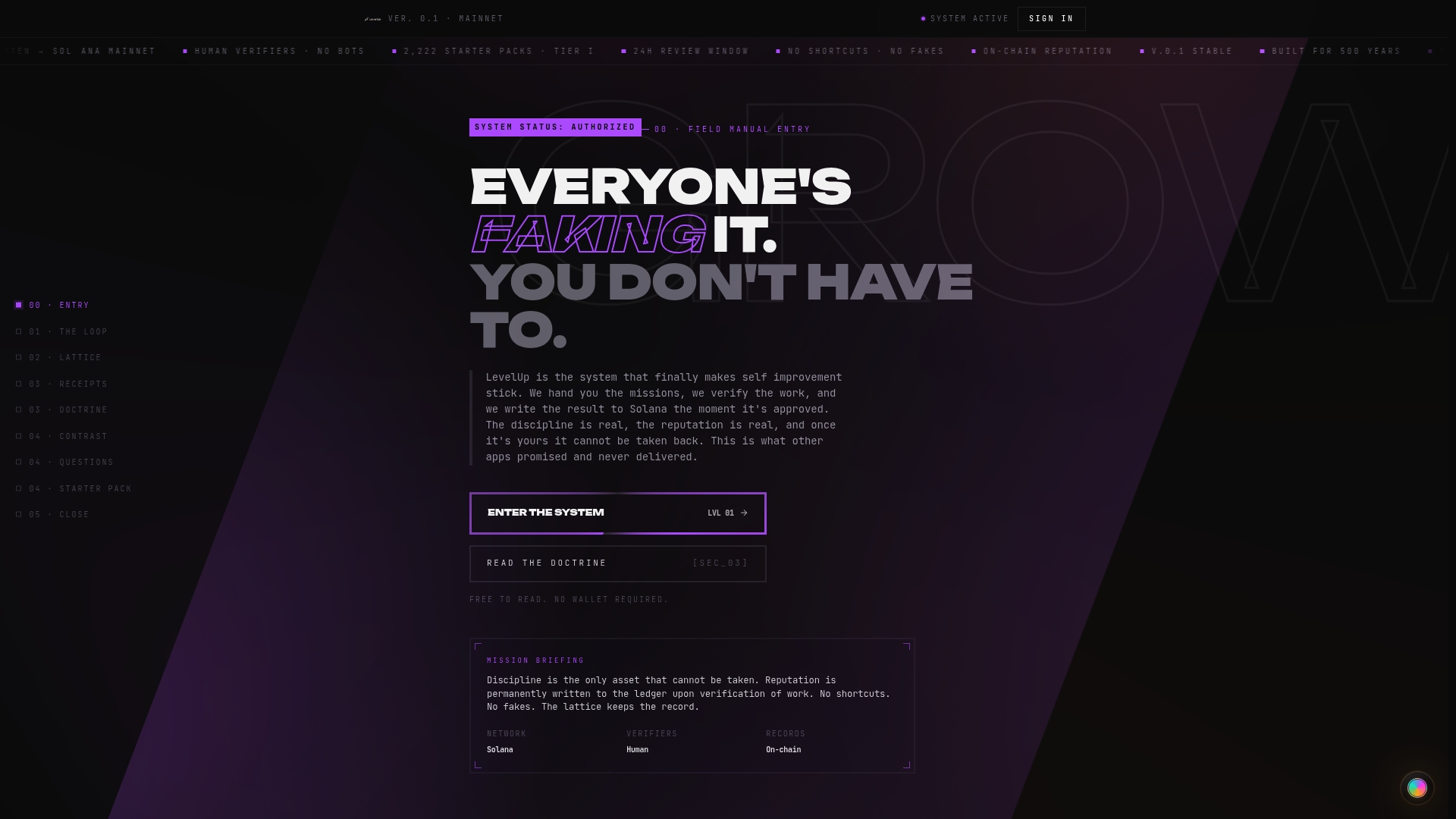
That verification model solves the core credibility problem that plagues standard badge programs. Every achievement on Levelup is backed by evidence that cannot be altered after the fact. For educators building competency programs and employers designing skill verification systems, that level of trust is the standard worth reaching. Visit Levelup to see how proof-based credentials work in practice.
FAQ
What are digital badges used for?
Digital badges recognize and verify skills, course completions, compliance training, and professional certifications. They embed metadata that allows employers and institutions to confirm the credential instantly through a verification URL.
How do I create a digital badge?
Free badge makers offer drag-and-drop interfaces with professional templates and require no design experience. For credentials that carry professional weight, use a platform that embeds Open Badge 3.0 compliant metadata and hosts the badge at a permanent URL.
What is Open Badge 3.0?
Open Badge 3.0 is the current metadata standard for digital credentials. It defines how issuer, recipient, criteria, and verification data are embedded in a badge so that any compliant platform can read and verify it automatically.
How are digital badges used in education?
Universities and continuing education programs issue badges for course completions, competency milestones, and professional development. Digital badge usage in education focuses on recognizing authentic learning outcomes rather than simple attendance.
What makes a digital badge design effective?
Effective badge design uses high contrast colors, minimal text, a visible issuer logo, and a skill-specific title. The badge must remain readable at around 80px wide, which is the standard display size on LinkedIn and most professional platforms.